DS2002 Data Science Systems
Course materials and documentation for DS2002
MySQL Setup in GitHub Codespace
This guide walks you through setting up MySQL in a GitHub Codespace environment, including configuring prebuilds to speed up future Codespace startups.
Step 1: Add a Secret Password to your GitHub settings
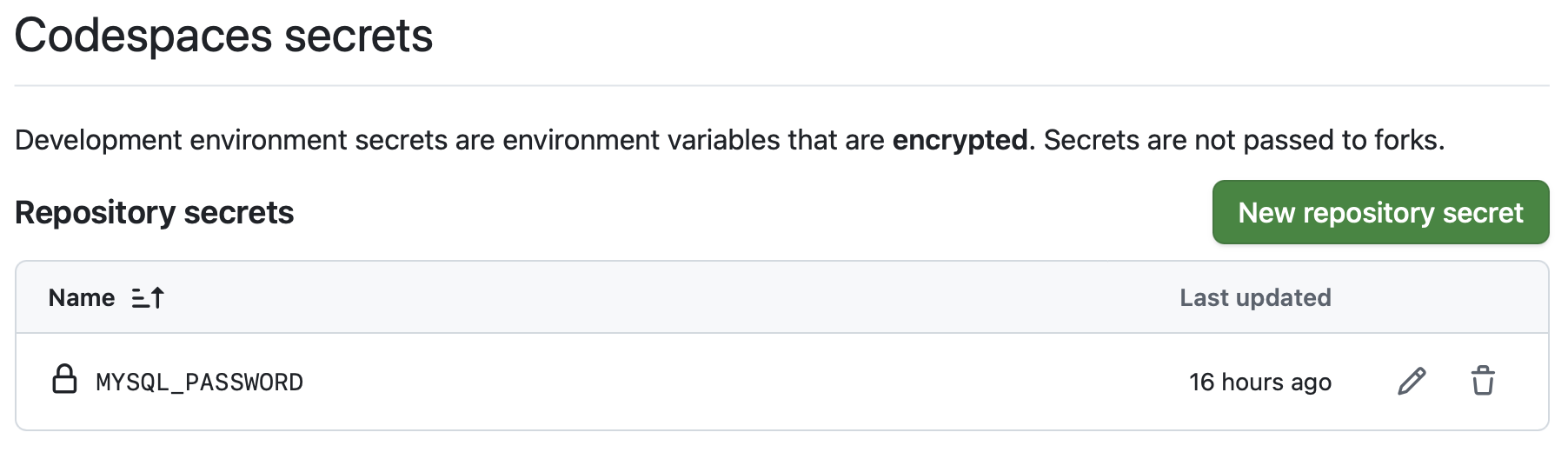
The MySQL container requires a root password to be set via the MYSQL_PASSWORD environment variable. You need to add this as a secret in your GitHub repository settings so Codespace can access it.
-
Go to your forked repository on GitHub (e.g.,
https://github.com/YOUR_GITHUB_USERNAME/ds2002-course). -
Click on Settings (in the repository navigation bar, not your general GitHub settings).
-
In the left sidebar, under Secrets and variables, click Codespaces.
-
Click New repository secret.
- Configure the secret:
- Name:
MYSQL_PASSWORD - Secret: Enter a strong password for your MySQL root user (e.g., a random string of letters, numbers, and symbols), but choose something you can remember.
- Click Add secret.
Note: Choose a secure password and keep it safe. You’ll need this password to connect to MySQL in your Codespace. The password is encrypted and only accessible to your Codespaces.
- Name:
- Verify the secret appears in your list of Codespace secrets.
Step 2: Start MySQL environment in Codespace
- On GitHub, go to your forked repository and expand the dropdown of the Code button.
- Your personal copy (fork) should be https://github.com/YOUR_GITHUB_USERNAME/ds2002-course.
-
Select the Codespaces tab.
-
Next to
"Codespaces: your workspaces in the cloud", click on the three dots"..."and select"+ New with options".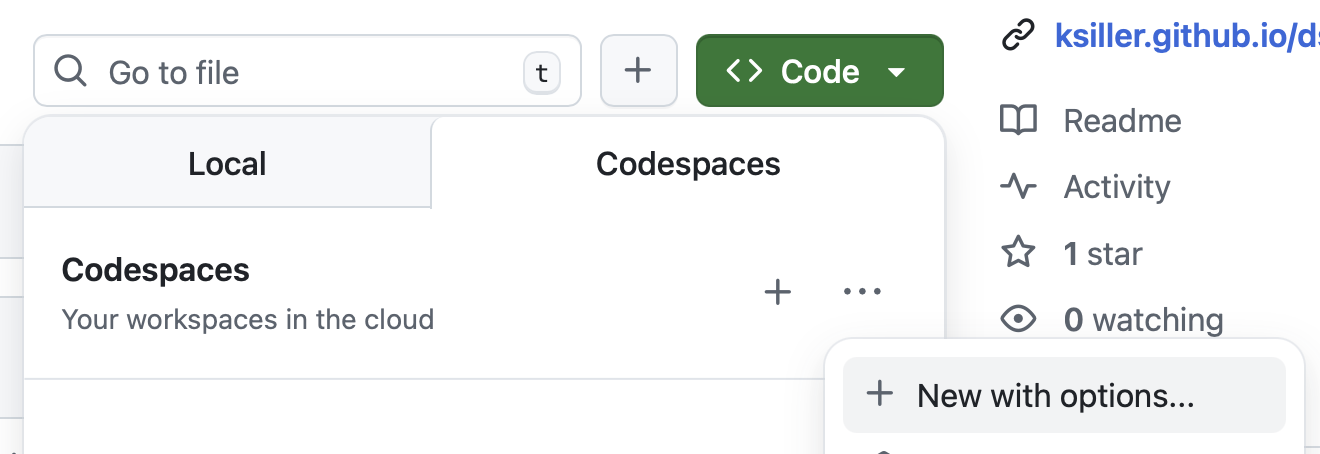
-
On the next screen, choose
"DS2002 MySQL":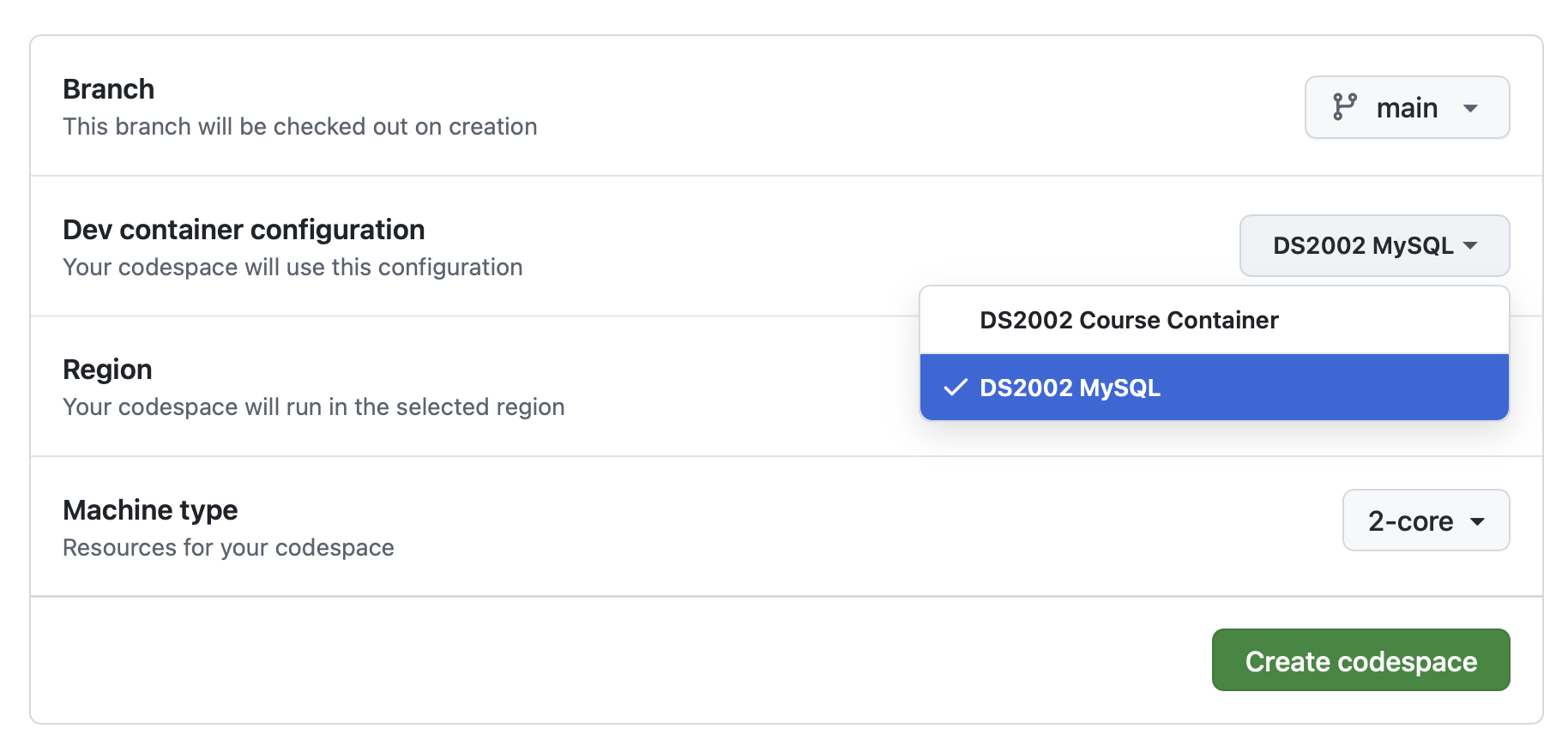
-
Click
Create codespace. -
Wait for the codespace to initialize (this may take several minutes).
- Once your codespace is running, open the terminal. The terminal will appear at the bottom of your Codespace window.
- In the terminal, execute:
mysql -h dbhost -u root -p - You’ll be prompted for your password: enter your MySQL password that you set up in Step 1.
- The prompt should change to:
mysql>Congratulations! You’re logged into the MySQL server.
- Type
exitand pressEnterto return to the bash terminal.
- In the terminal, execute: