DS2002 Data Science Systems
Course materials and documentation for DS2002
General Setup
Git & GitHub (Required)
Everyone will need a GitHub account. If you already have a GitHub account, you can skip step 1.
Step 1: Create a GitHub Account
- Go to github.com and click Sign up
- Follow the prompts to create your account
- Verify your email address if required
Step 2: Fork the Repository
- Navigate to the original repository on GitHub, https://github.com/ksiller/ds2002-course
- Click the Fork button in the top-right corner
- Select your account as the destination for the fork, e.g. if your GitHub account is “msmith”, you’d use
msmith/ds2002-courseas the name for the forked repo (should be set as default). - Wait for the fork to complete
- Bookmark the webpage of your forked GitHub repository. You will be using it frequently :)
Step 3: Create a Personal Access Token (PAT)
Note: This step is required if you plan to use git on your own computer/laptop.
Personal Access Tokens (PATs) are an established best practice for securing access to your repositories. Unlike SSH keys, which grant broad access, PATs provide more granular control over what actions are allowed. You can create tokens with specific scopes (like read-only access, or access only to certain repositories), making them more secure and easier to manage. PATs are also easier to revoke if compromised, as you can delete individual tokens without affecting your entire account.
- Go to GitHub Settings → Developer settings → Personal access tokens → Tokens (classic)
- Click Generate new token → Generate new token (classic)
- Give your token a descriptive name (e.g., “DS2002 Course”)
- Select the repo scope (this enables clone, pull, push, and submitting pull requests)
- Set the token expiration date to May 31, 2026.
- Click Generate token at the bottom
- Copy the token immediately - you won’t be able to see it again!
- Store it securely (you’ll use it as your password when using git from your local machine)
Step 4: GitHub Education
Sign up for GitHub Education. It is free and will augment your abilities to use GitHub and Codespaces.
Using GitHub Codespaces for Your Projects (Recommended)
The easiest way to get started is to use GitHub Codespaces. You can launch Codespaces directly through your repo in GitHub; all the software tools you will need are already configured and will be at your disposal with a single click of a button. It couldn’t be easier.
- In your forked repository, click the green Code button
- Select the Codespaces tab
- Click Create codespace on main (or select a branch)
- GitHub will automatically detect and use the default devcontainer configuration
- Wait for the codespace to initialize (this may take a few minutes)
You should see a screen like this:
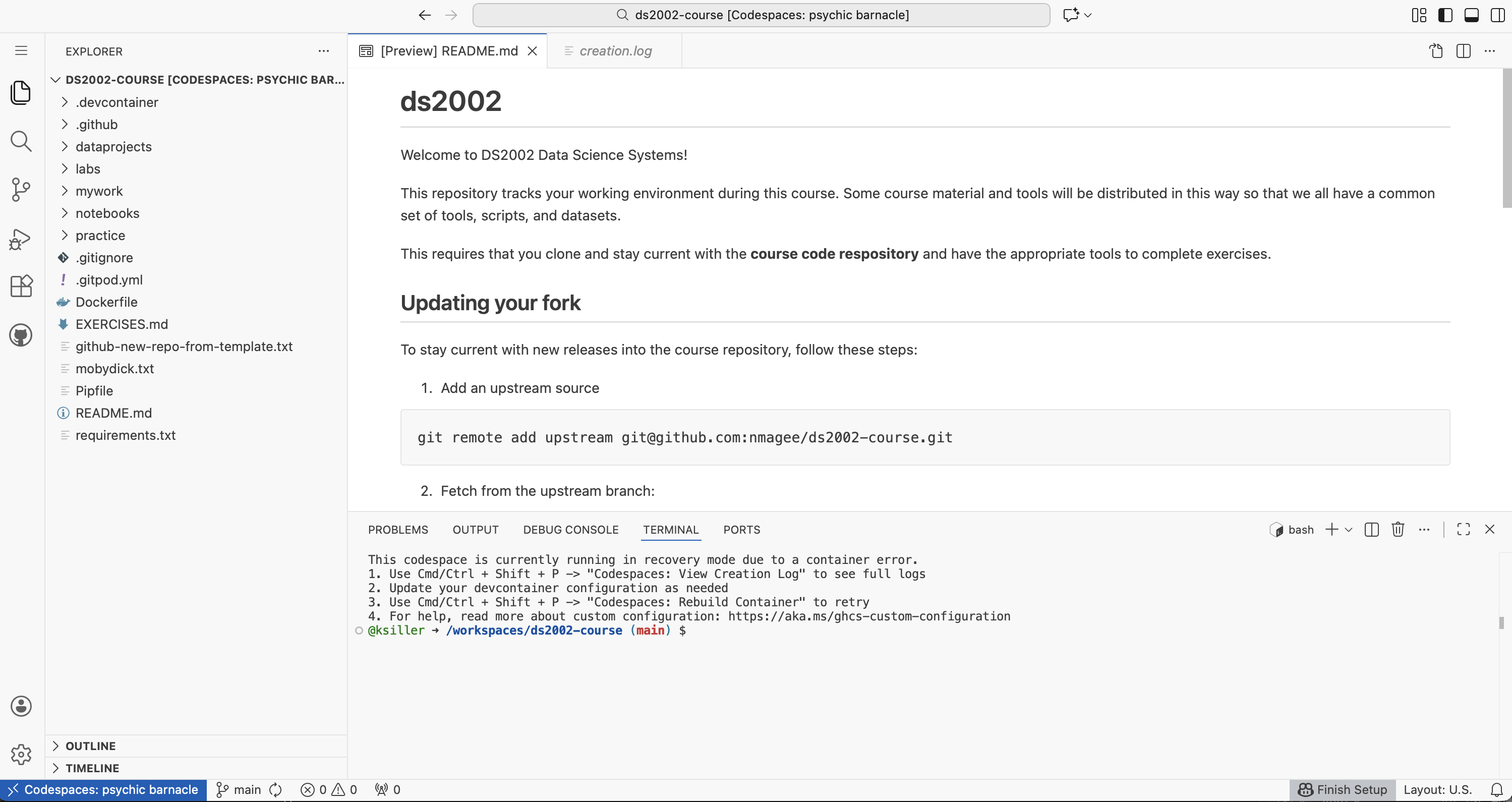
Once your codespace is ready, you’ll have a fully configured development environment in your browser!
Using GitHub Codespaces for MySQL Practice and Labs (Recommended)
The course repository defines a Codespace setup with MySQL Server, MySQL Client and PHPAdmin. Follow the MySQL Setup in GitHub Codespace instructions to set this up in your fork of the course repository.
Access to UVA’s High Performance Computing Cluster
Throughout this course students will have access to UVA’s HPC systems (Afton & Rivanna). In addition to HPC specific activities in Module 3, you may also use the system as an alternative to Codespaces for other course activities.
You don’t have to install software on your own computer to access the systems.
The login process is described in the HPC Access instructions.
Optional: Installation on your own computer
If you prefer to set up the development environment on your own computer instead of using GitHub Codespaces, follow the platform-specific instructions:
- Windows Setup - Instructions for setting up on Windows
- MacOS & Linux Setup - Instructions for setting up on macOS and Linux
Note: If you are new to programming and are not familiar with installing programming tools on your computer, we highly recommend using GitHub Codespaces instead. This will allow you to get started immediately without the hassle of troubleshooting any setup issues.